What to Look For
Essential Features
- Large, well-spaced buttons — Easy to press, easy to see, tactile feedback
- Loud speaker and ringtone — Volume that actually carries
- Clear, high-contrast screen — Large text, readable in daylight
- SOS/emergency button — One-button emergency calling to pre-set numbers
- Long battery life — Less charging, less hassle
- Hearing aid compatibility (HAC) — M3/T3 rating or higher
Nice to Have
- Charging cradle/dock — Easier than plugging in a USB cable
- FM radio — Familiar entertainment that doesn't need internet
- Torch — Surprisingly useful
Best Phones for Seniors
Doro 1380 — Best Overall
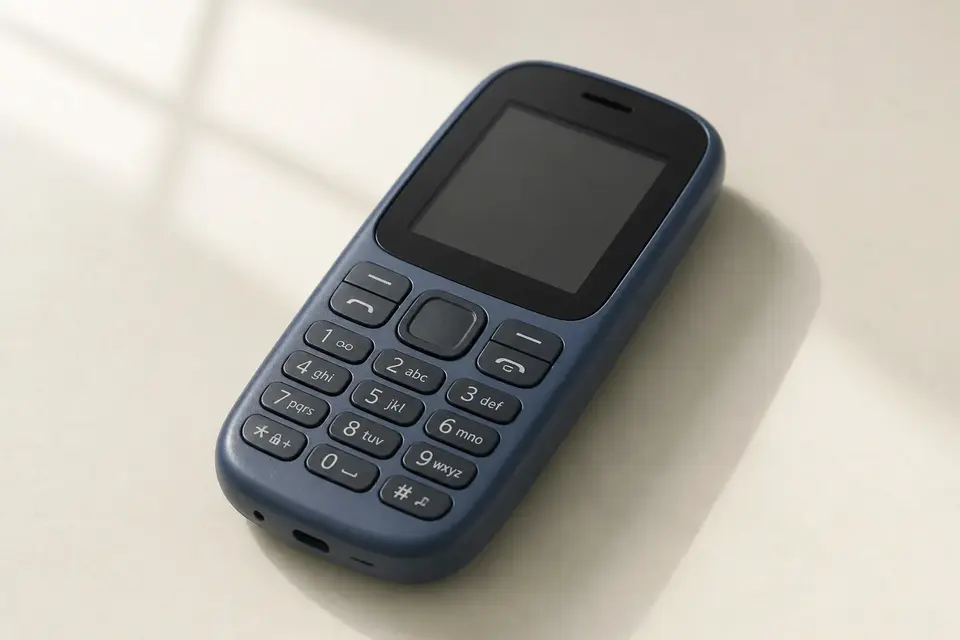
£40 — Purpose-designed for older adults by Doro, a Swedish company that specialises in senior-friendly technology.
- Large buttons with high contrast
- 2.4" colour screen
- SOS button on back
- Hearing aid compatible (M4/T4)
- 7-day standby battery
- Charging cradle included
- FM radio, torch, camera
Why it's best: Doro understands this audience better than anyone. The menu is simplified, the text is large, and the SOS button works exactly as expected — press and hold, and it calls your pre-set emergency contacts in sequence until someone answers.
Nokia 2660 Flip — Best Flip Phone
£50 — A modern flip phone with 4G. The flip design is familiar to many older adults and naturally protects the screen.
- Large buttons in flip keyboard
- 2.8" main screen + 1.77" outer screen
- SOS button
- Hearing aid compatible
- 4G LTE
- FM radio, camera
Why it's good: The flip-to-answer, flip-to-end mechanic is intuitive. The outer screen shows time and caller ID without opening. 4G ensures it'll work for years as 3G networks switch off.
AGM M9 — Best Budget
£35 — No frills, no nonsense. Large buttons, IP68 waterproof (survives spills and rain), loud speaker, and a genuinely bright torch.
Why it's good: The cheapest reliable option. If the phone gets lost or damaged, replacing it costs less than a taxi.
Setting Up for an Older Adult
Before You Give Them the Phone
- Pre-load contacts — Add all family members with clear names (not nicknames)
- Set up speed dial — Button 1 = main family contact, Button 2 = second contact
- Programme the SOS button — Test it with them so they know it works
- Increase font size — Go to Settings → Display → Font Size → Large/Extra Large
- Turn up volume — Both ringtone and in-call volume to maximum
- Set a simple ringtone — Something recognisable and loud. Avoid music ringtones.
- Charge it fully and show them how charging works
Teach These Three Things
- How to make a call (from contacts, from speed dial)
- How to answer a call (press green button, or flip open)
- How to use the SOS button
That's it. Don't overwhelm with features. They can learn texting and radio later if they want.
Common Concerns
"They'll forget to charge it."
Get a phone with a charging cradle and put it on their bedside table. "Put the phone in the cradle before bed" is an easy habit to build. Phones with 7+ day battery life reduce this issue significantly.
"They lose things."
Pair with an AirTag or Tile tracker on the phone case. Or use a lanyard — many seniors phones have lanyard attachment points.
"They press the wrong buttons."
The Doro 1380 has a simplified menu designed for this. The Nokia flip eliminates accidental pocket presses entirely.
Technology should make life easier, not harder. A simple phone that someone actually uses is infinitely better than a smartphone that sits in a drawer because it's too complicated.